See open referee assignments
See open positions, assigned crews, responses, and games that still need attention before game day.
HUI Officials helps local referee associations schedule games, assign eligible officials, manage availability and crews, and react quickly when coverage changes before game time.
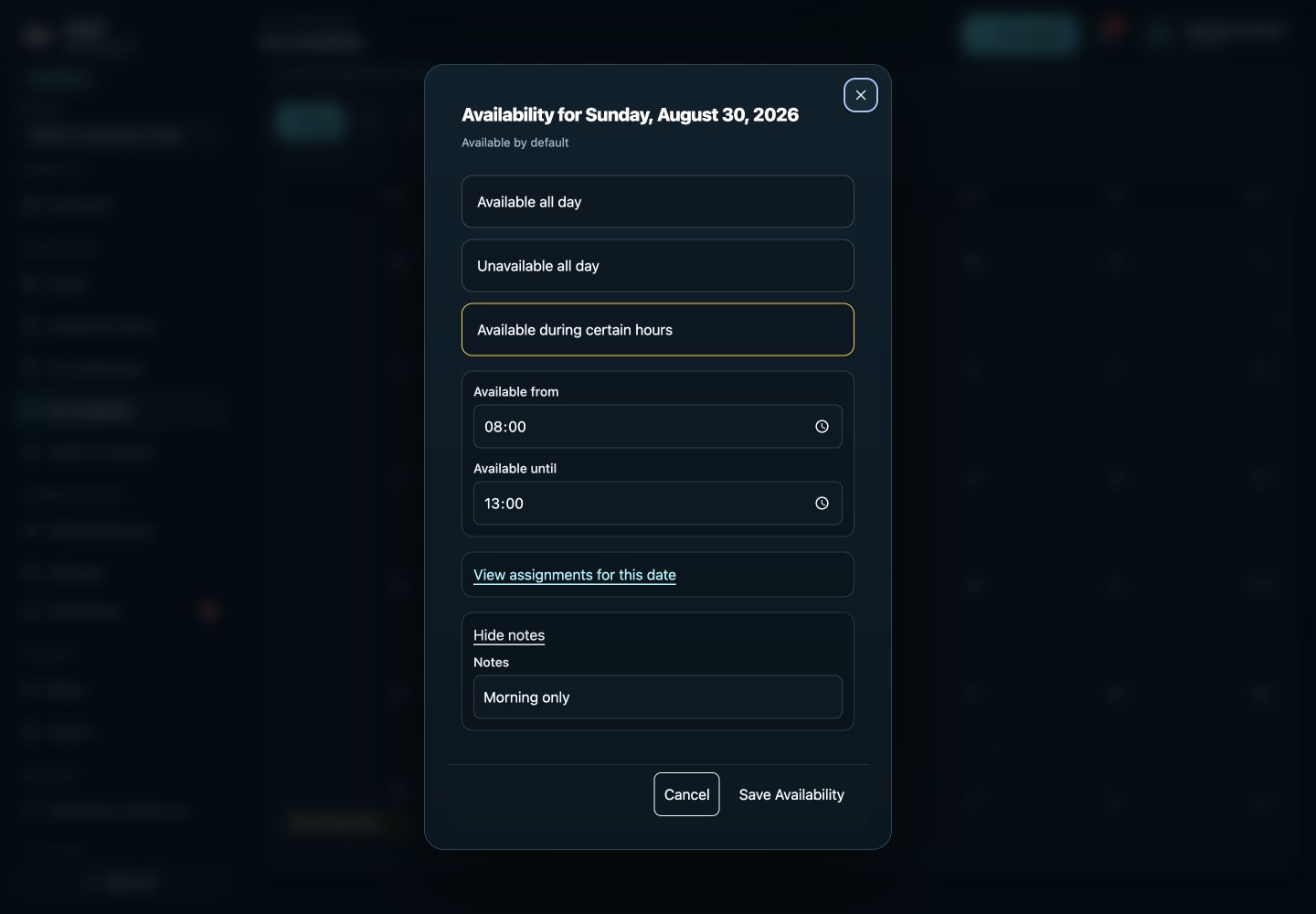
A referee may be available for an afternoon game but unavailable that evening. Capture that window before building the crew.
One referee turns back an assignment while the other crew members remain accepted. Review the open position, the replacement official’s basketball eligibility, availability, and overlapping assignments. Select the replacement and publish the assignment, then track that official’s response. The rest of the crew stays attached to the game.
This checklist is an illustrative setup guide, not a customer testimonial or a measured result.
See a complete assignment example or discuss your association’s setup.
A referee becomes unavailable. A game moves. A crew develops a conflict. HUI gives assigners a focused workflow for keeping those changes tied to the underlying game.
See open positions, assigned crews, responses, and games that still need attention before game day.
Officials maintain availability while eligibility and conflicts help narrow the assignment pool.
Keep the opening visible, choose an eligible replacement referee, and publish the reassignment from the same game.
Keep crews, game fees, mileage, payors, billing, and payment information tied to the games that generated them.
Football, basketball, soccer, and volleyball do not use the same crew structure. HUI lets the organization configure sport and division requirements, positions, and eligibility so the assignment board reflects the work instead of treating every referee opening as interchangeable.
Officials maintain availability while sport eligibility, configured positions, and assignment conflicts help the assigner understand who can take the game. The crew can be filled manually or with Auto Assign, reviewed in draft, and published only when it is ready. Draft edits remain quiet so an incomplete crew does not accidentally trigger official notifications.
After assignments are published, officials can accept or decline from the responsive web app, and secure email action links can support direct responses. Assigners do not have to combine email replies, text messages, and spreadsheet notes to understand the crew. The response state remains attached to the position and game.
Reminders focus on pending responses for active games. If a referee declines or later turns back the assignment, the open position stays visible while the accepted members of the crew remain in place. An eligible replacement can be selected and published from the same game.
This is especially useful for multi-game football crews, a basketball schedule with closely spaced start times, a soccer association covering several fields, or volleyball matches moving between gyms. The assigner can see the underlying date, time, venue, sport, division, and existing work before making the replacement decision.
A schedule change, location update, or crew adjustment can affect everyone differently. HUI ties the change to the game and sends relevant notices to accepted assignees through the organization's configured channels. Postponed games retain assignments rather than being treated as cancellations, which protects the crew while the schedule is being resolved.
Officials can use mobile access to review the assignment, position, crew visibility, location, and current game details. The same record can support fees, mileage, billing, payment records, and reports after the game when those workflows are enabled. This keeps the operating week connected from initial assignment through closeout.
For football-specific position and crew considerations, continue to the Football Officials Software guide. For the complete cross-sport workflow from schedule import to reporting, explore Officials Scheduling Software or the assigner-focused Official Assignment Software page.
Yes. Configure positions and crew requirements for the sport and division. Assigners can evaluate eligibility for the selected position instead of treating every opening as the same job.
No. Postponed games retain their assignments. Meaningful schedule changes can notify accepted officials through the association’s configured channels.
Yes. HUI is a responsive web app with progressive web app support. Officials can review assignments and game details and respond from a mobile browser.
Built for football, flag football, soccer, basketball, volleyball, tournament, and multi-sport referee associations.
Baseball, softball, football, flag football, soccer, basketball, volleyball, wrestling, field hockey, boys’ lacrosse, girls’ lacrosse, and ice hockey.
New additions: wrestling, field hockey, boys’ lacrosse, girls’ lacrosse, and ice hockey.
The HUI native app is built. Its app-store release is coming soon. You can use HUI on the web today.
Native app coming soon · See current plans and optional add-ons